
What is an LMS, and what is it good for when you prepare lessons?
A learning management system (LMS) is software that keeps your teaching materials, assignments, marks and results in one place. For lesson prep that means you can find last week’s task, see how the class did, and build this week’s version from it.
When AI can produce drafts in seconds, the scarce skills are deciding what to teach, checking drafts, and acting on results. All three are easier with everything in one place.
What can AI do for lesson prep, and what should you not trust it with?
Use AI to draft and keep the judgment yourself. It is quick at producing questions and examples from a goal you give it. It cannot decide what your class needs to learn, and its drafts can be wrong: an incorrect answer key, the wrong level, or a reference that does not exist.
What is a realistic weekly prep workflow with AI?
Use the same six steps every week. AI helps with step two only; you own the rest.
- Plan: write the learning goal and success criteria yourself.
- Draft: ask AI for questions, tasks or materials based on that goal.
- Check: review every draft for accuracy, level, bias and fit with your goal and curriculum. Fix or discard.
- Assign: give the checked version to a class or to chosen students, with dates.
- Read: look at results and marked work, and spot-check any automatic marks.
- Adjust: decide tomorrow’s regrouping, reteaching or extension from what the results show.
The Adjust step is where differentiation pays off. For ways to regroup and tier tasks, see our differentiated instruction guide.
| Weekly time | What you do | What you get |
|---|---|---|
| 20 min | Plan one lesson’s goal, draft one task with AI, and check it carefully. | One checked task, ready to assign |
| 45 min | Do the 20-minute steps, then assign with dates and read last week’s results. | Checked tasks assigned, plus a short list of students to regroup |
| 90 min | Do the 45-minute steps, then spot-check a sample of automatic marks and plan reteaching and extension for next week. | A planned week and a plan for what comes next |
These times are suggestions to start from, not measured results.
How can Xuelah help at each step?
The workflow above works on paper or in any LMS. If you want one place to try it, Xuelah is one option.
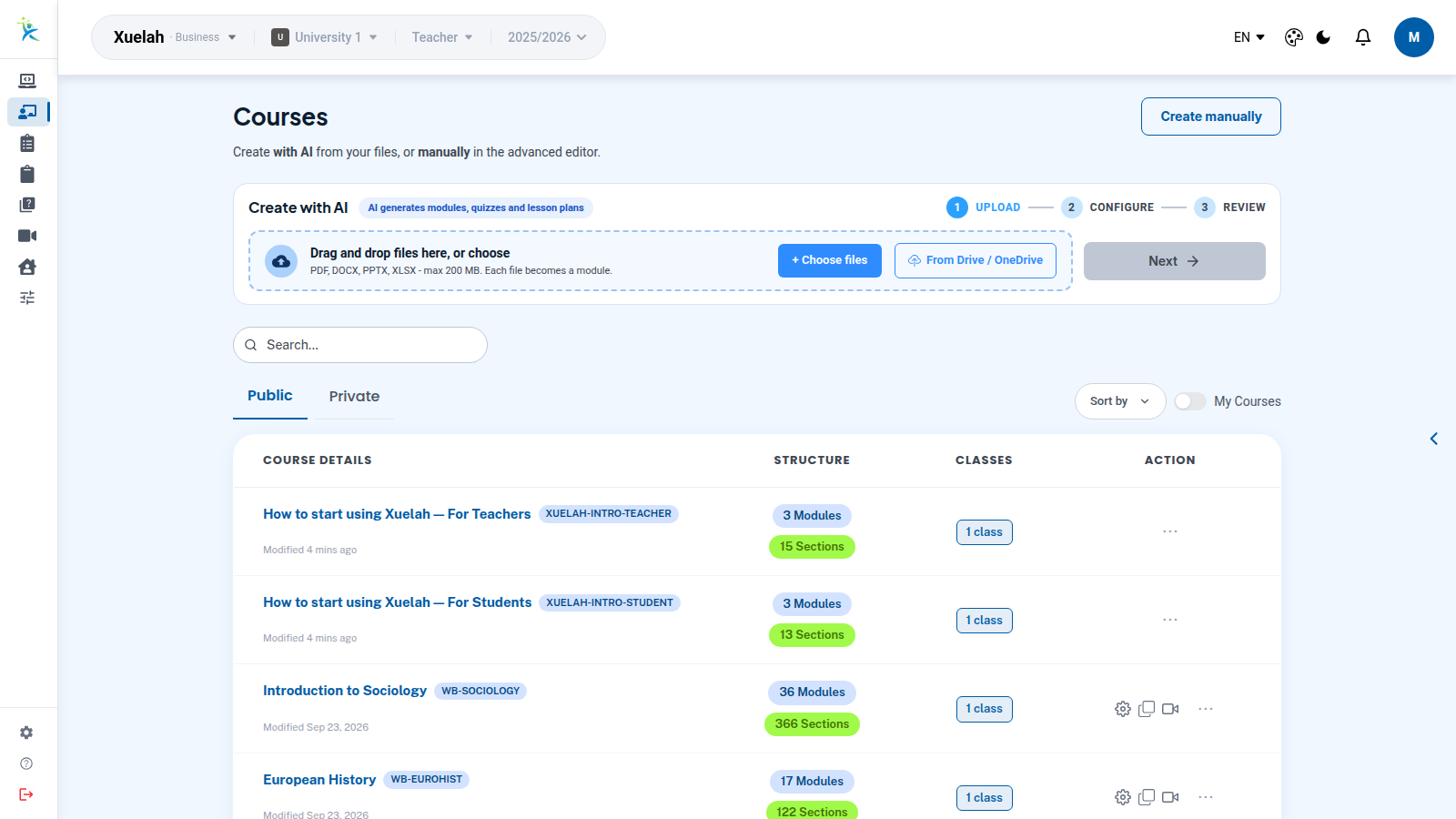
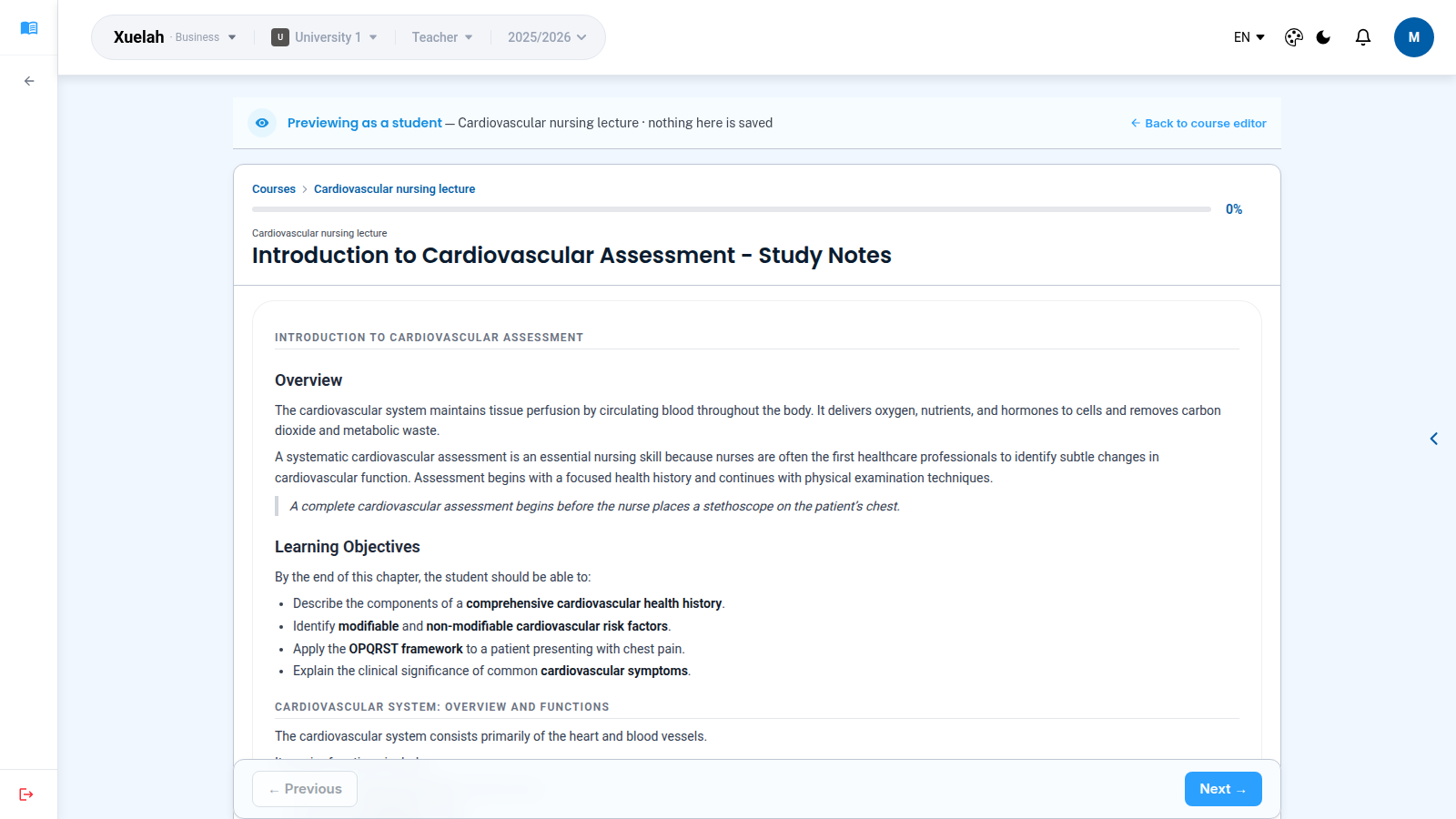
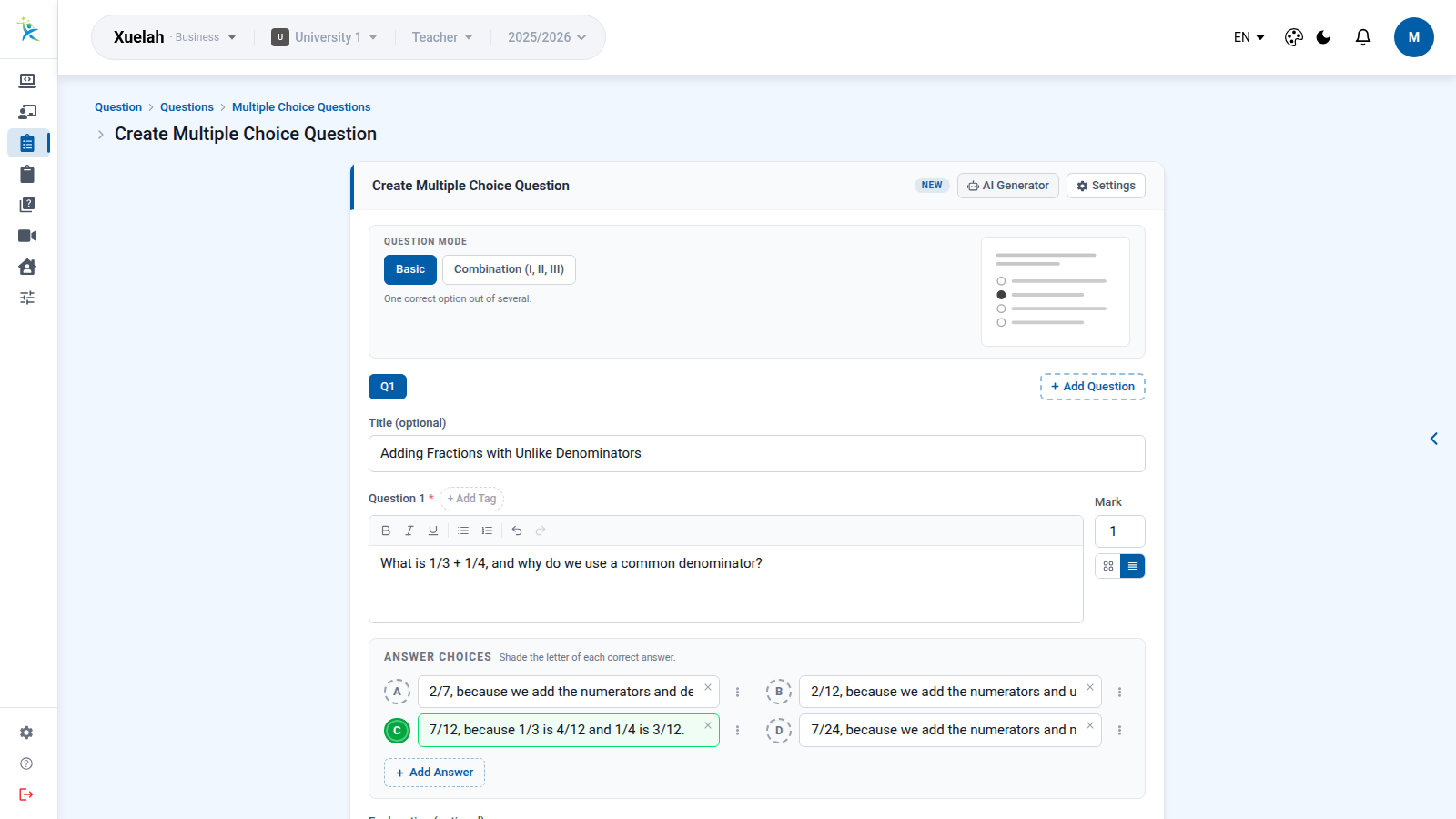
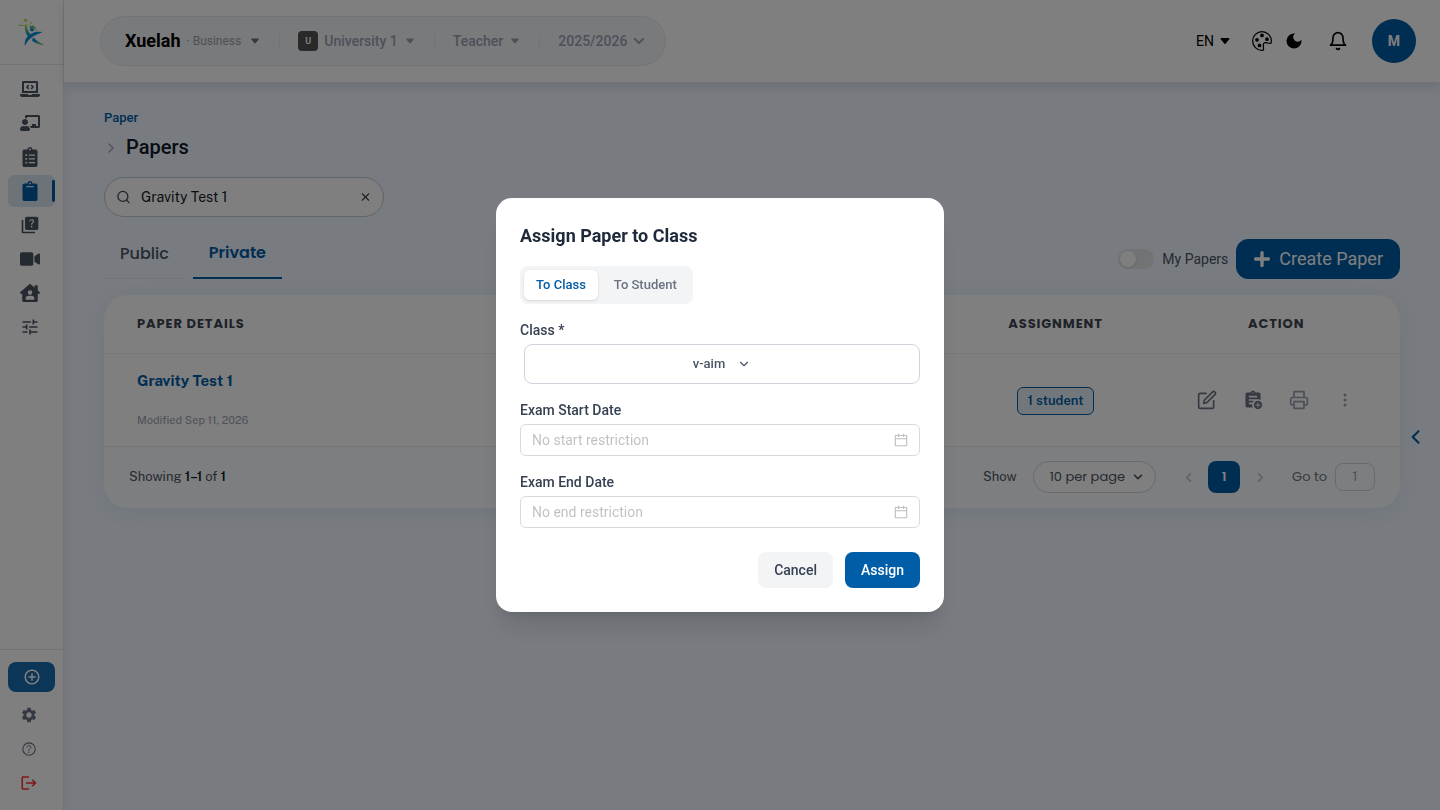
How do you set classroom rules for AI and protect student data?
Do not wait for a policy. Gallup’s 2026 survey of 2,069 US public K-12 teachers found that just 18% reported receiving any type of formal guidance from school administrators on how AI tools should be used. A practical rule is to write three lines for your class:
- When AI may be used, and when it may not, task by task.
- How students show their use: which tool, and what they asked it.
- Never paste names, grades or other personal student data into a tool your school has not approved.
The European Commission published an updated 2026 set of ethical guidelines for school educators, framed around AI Act and GDPR compliance. UNESCO’s guidance recommends a human-centred, age-appropriate approach and regulation that protects data privacy. In the US, FERPA gives parents the right to access their children’s education records and some control over disclosure of personally identifiable information; those rights pass to the student at 18. Check your school or district rules and local law. This is not legal advice.
Can you trust automatic marking?
Treat automatic marks as a first pass. A practical rule is to re-mark a small sample yourself, compare, and override any mark you disagree with. A 2026 conference paper on AI scoring of short answers notes that a quadratic weighted kappa of about .70 is a commonly used bar for agreement with human scorers, while the work it cites reports wide variation, from .23-.43 for small open-source models without fine-tuning to .68 for a GPT-4 benchmark.
What is in the full playbook?
The PDF is a 29-page playbook with a worked example and printable one-page templates:
- Weekly AI-assisted prep planner and results-to-action sheet
- AI draft review checklist and prompt cheat sheet
- Classroom AI use one-pager you can adapt for students
- Auto-mark spot-check log and before-you-paste privacy checklist
- A walkthrough of Xuelah as one option
Frequently asked questions about AI and lesson prep
Do I need an LMS to use AI for lesson planning?
No. The weekly workflow works with paper, a document, or any LMS. An LMS helps because materials, assignments, marks and results sit in one place, so the checked version you assigned and the results you read are easy to find and compare week to week.
How do I check an AI draft quickly?
Solve each question yourself before trusting the answer key. Then check that the level suits your class, that every item matches your learning goal, and that nothing is biased or off-curriculum. Delete any reference or fact you cannot verify. Fix or discard what fails; never assign a draft unread.
Is it safe to paste student names into an AI tool?
A practical rule is not to paste names, grades or other personal student data into any tool your school has not approved. Describe the task instead, using made-up examples. Rules differ by school, district and country, so check yours and local law. This is not legal advice.
How long should weekly AI-assisted prep take?
The 20, 45 and 90 minute routines on this page are suggestions, not measured results. Start with the 20-minute routine for one lesson, note how long checking really takes, and adjust. Checking is the step most people underestimate, so protect time for it.
Where do I find the templates?
The free playbook PDF includes a weekly prep planner, an AI draft review checklist, a prompt cheat sheet, a classroom AI use one-pager, an auto-mark spot-check log, a before-you-paste privacy checklist and a results-to-action sheet. Each fits on one page and prints in black and white. Get the playbook.
The full source list is in the PDF. Cited here: Walton Family Foundation & Gallup (2025). Teaching for Tomorrow: Unlocking Six Weeks a Year With AI. nextgeninsights.waltonfamilyfoundation.org (Teachers_AI_Report.pdf). Brenan, M. (2026, October 14). Teachers Using AI Say It Frees Up Time for What Matters Most. Gallup. news.gallup.com/poll/715364. Malek Ash, A., & Senseman, K. (2026, May 26). Most Teachers Receive No Formal Guidance on AI Use. Gallup. news.gallup.com/poll/710534. Zhang et al. (2025). Generative AI in medical education: feasibility and educational value of LLM-generated clinical cases with multiple-choice questions. BMC Medical Education. doi.org/10.1186/s12909-025-08085-8. Xiong, J., Huggins-Manley, A. C., & Shin, H. (2026). Disentangling severity and centrality: Rater effects in LLM-based automated short-answer scoring. AIME-Con 2026 proceedings, vol. 3, pp. 164-179. European Commission (2026). Ethical guidelines on the use of AI and data in teaching and learning for educators. education.ec.europa.eu. UNESCO (2023). Guidance for generative AI in education and research. unesco.org. US Department of Education, Student Privacy Policy Office. What is FERPA? studentprivacy.ed.gov.